Vara Education
One workspace that runs a growing education staffing business: recruitment, safeguarding, leave, messaging and payroll, with the public website built in.
What needed solving
Vara Education places teaching assistants, supply teachers, sports coaches and lunchtime cover in schools, so every member of staff needs safeguarding checks before they start. The business was being run in separate silos. Staff details were gathered through Google Forms, the staff list lived in an emailed spreadsheet, holiday was worked out by hand with the GOV.UK calculator, and the payroll workbook and sick pay were built by hand every pay period. Certificates went back and forth by email, and safeguarding, uniform and health and safety forms were all handled separately. I brought everything together into one workspace that runs the business, from recruitment to payroll.
Recruitment and onboarding
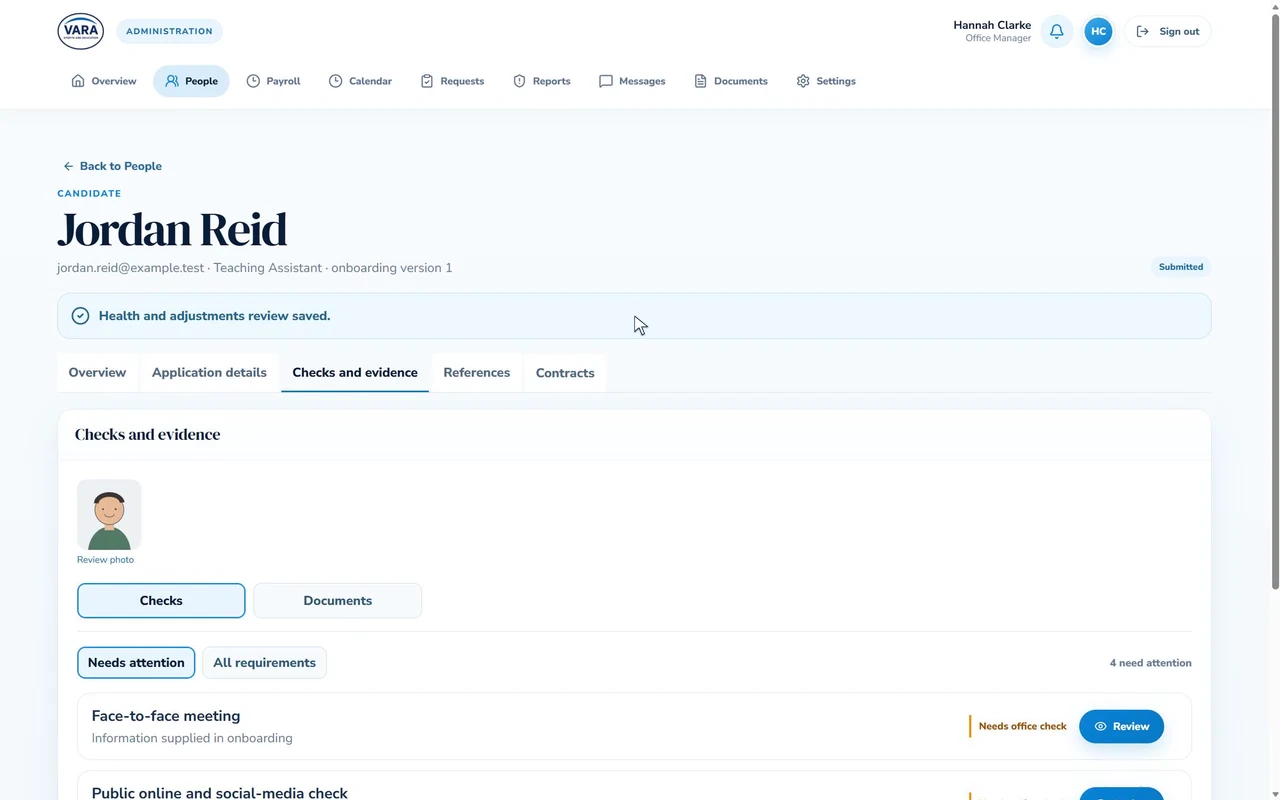
New starters are invited to a seven-step online journey: personal details, employment and checks, references, health, a legal declaration, policies and induction, then review and submit. It includes the safeguarding reading and declarations. The office edits and publishes new versions of the journey itself, with no developer needed.
Safeguarding and compliance checks
DBS, right to work, references, safeguarding and first-aid training, induction and policies are all tracked for every person. The office reviews each document side by side and records the check, and renewals are flagged three months before they run out.
References
Reference requests go out by email with automatic reminders, and the office can take a reference by phone when that's quicker.
Safeguarding and incident reporting
Staff report a safeguarding concern, an accident or a first-aid incident from their phone. Alerts reach only the designated leads, and sensitive notes are locked behind their own permission.
Payroll and the official workbook
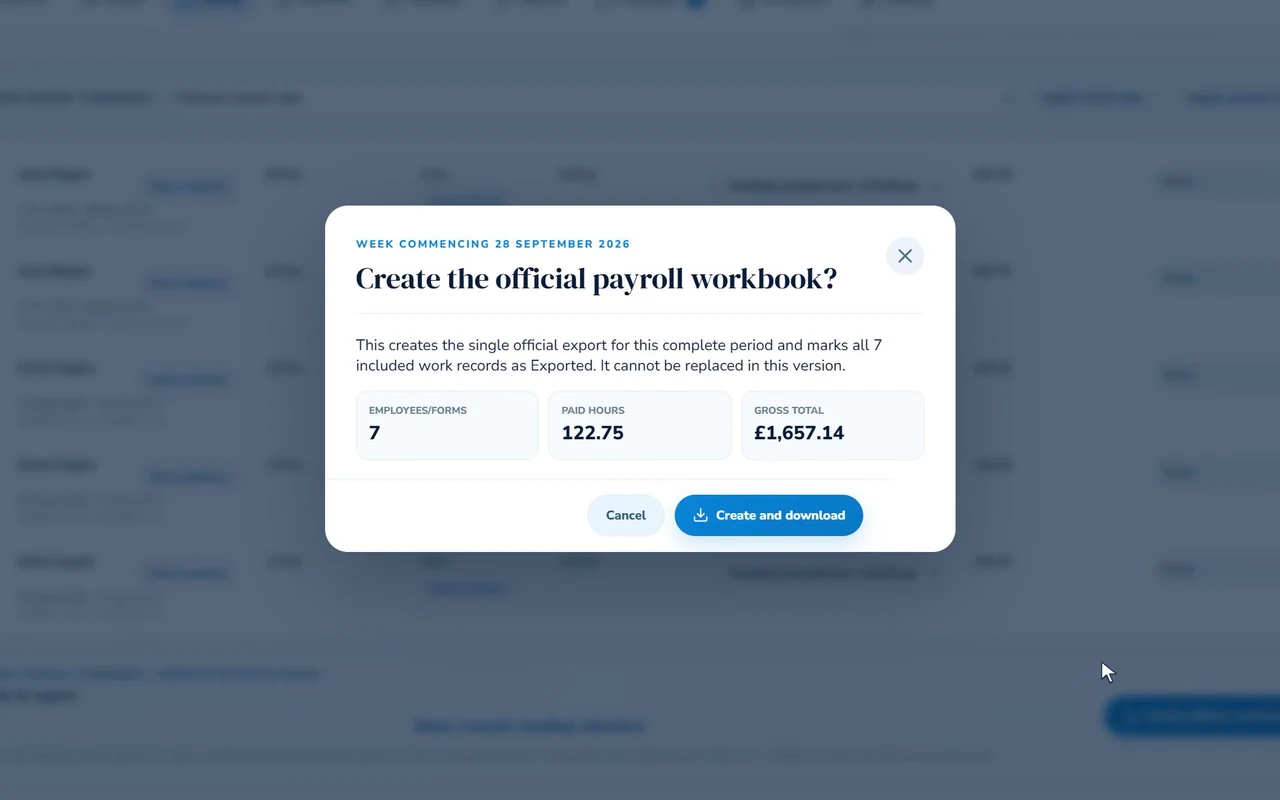
Timesheets and overtime forms flow into payroll. The office applies pay rates, checks every session and creates the official payroll workbook in the payroll bureau's own layout, weekly and monthly, in one click. Sick pay is suggested from the rules instead of being worked out by hand.
Holidays and leave
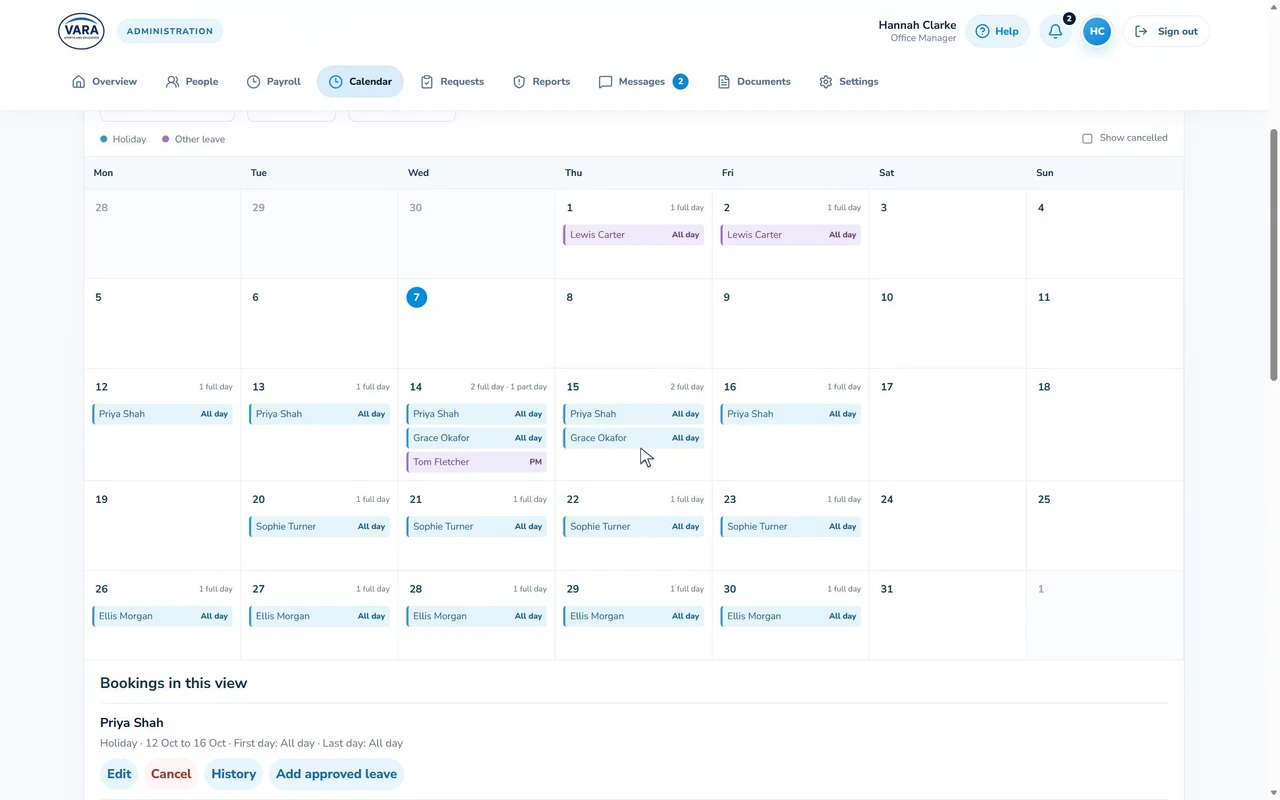
Staff book full or part days off, and the office approves, or declines with a reason. One calendar shows who is off and when, with office closures, and syncs to Google Calendar. A built-in entitlement calculator follows the GOV.UK rules.
Staff messaging
The office messages one person or the whole team. Messages can be marked as action required or read and acknowledge, and the office can see who has read and acknowledged each one.
Documents, policies and contracts
A policy library with an in-app reader and a record of who has acknowledged what, plus contracts signed inside the portal.
Everyday forms
Uniform orders, health and safety reports and the other everyday forms land straight with the right person in the office, instead of in an inbox.
People and permissions
One register of candidates, employees and administrators, from first invite to leaving. Twelve permission areas mean each office user sees only what their role needs, and personal data is erased properly when it's time.
School introductions
A staff profile with photo, sent to a school as a ready-made PDF before a placement.
Automatic chasing
Unfinished onboarding is chased every 48 hours, and reference reminders, renewal warnings and notification emails all go out automatically, down to birthday greetings for staff.
Help built in
Around 46 short how-to videos and a guide on every page, so staff and the office can find their own answers.
Public website
The official Vara website runs from the same system.
Recruitment, safeguarding, leave, messaging, payroll and the website, replacing forms, spreadsheets and email chains
Every check, reference and declaration done and reviewed before a new starter begins
The official payroll workbook built from approved timesheets, instead of by hand

“I was going to use Google Forms to build this… however I thought I know a genius…”
PE Pulse

Want something like this? Let's talk.
A quick chat costs nothing. I'll tell you honestly what I'd build and what it would cost.